
 All-in-One
This guide is for quickly deploying Kubernetes and Zadig on a single cloud host or VM, suitable for first-time users.
Warning
All in One installation does not support version upgrade or high availability. Not for production use.
# Step 1: Prepare Linux Machine
Warning
It is recommended to use a clean OS to avoid installation failures due to software conflicts.
# Hardware Requirements
| OS | Recommended Configuration |
|---|---|
| Ubuntu 16.04/18.04/20.04 | CPU: 8 cores RAM: 16 GB Disk: 50 GB |
| CentOS 7.4–8.3 | CPU: 8 cores RAM: 16 GB Disk: 50 GB |
Recommended: 8C16G (Zadig uses 4C8G, supports two concurrent workflows)
# Network Requirements
- Internet access required
# Other
- Install as root, do not use
sudo curlrequired- Open ports 30000–32767
Tip
If using SSH, add ServerAliveInterval 60 to your local ~/.ssh/config to prevent timeout.
# Step 2: Download Installation Script
Choose a source based on your network and add execute permission.
GitHub:
curl -LO https://github.com/koderover/zadig/releases/download/v4.2.1/all_in_one_install_quickstart.sh
chmod +x ./all_in_one_install_quickstart.sh
2
Official:
curl -L https://download.koderover.com/install?type=all-in-one -o all_in_one_install_quickstart.sh
chmod +x ./all_in_one_install_quickstart.sh
2
Tip
The following environment variables are supported. Defaults are used if not set. You can set them before running the script if needed.
# Example: set IP and PORT
export IP=<node external ip>
export PORT=<any port between 30000~32767>
2
3
| Variable | Default | Required | Description |
|---|---|---|---|
| NAMESPACE | zadig | No | Kubernetes namespace |
| IP | IP or DOMAIN | Access IP | |
| PORT | If using IP | Port 30000–32767 | |
| SERVICE_TYPE | NodePort | No | NodePort or LoadBalancer |
| ENCRYPTION_KEY | No | Generated at install. Save for reinstall/data decryption. |
# Step 3: Install
# Set access address
export IP=<IP>
export PORT=<any port between 30000–32767>
./all_in_one_install_quickstart.sh
2
3
4
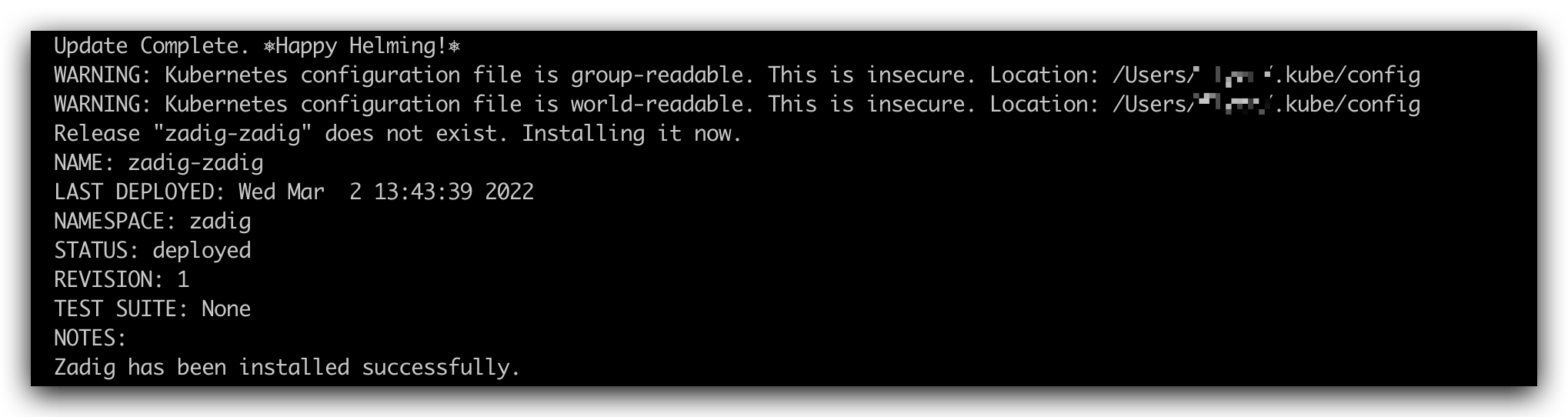
Installation takes about 30 minutes, depending on hardware and network. When the output matches the image above, installation is complete.
# Step 4: Verify
Check service status:
kubectl -n zadig get po
# Step 5: Access

Access address is shown in output.
Tip
See License for license setup.
# Uninstall
export NAMESPACE=zadig
# Choose the uninstall script version matching your installation
curl -SsL https://github.com/koderover/zadig/releases/download/v4.2.1/uninstall.sh | bash
2
3

